


Instants, an Instagram app
4.5147.00 Reviews
App Specs
- Version
- 450.0.0.50.106
- Updated On
- License
- Free
- Downloads
- 5,000,000+
- Developer
- Categories
- Social
- Platform
- Android
Screenshots
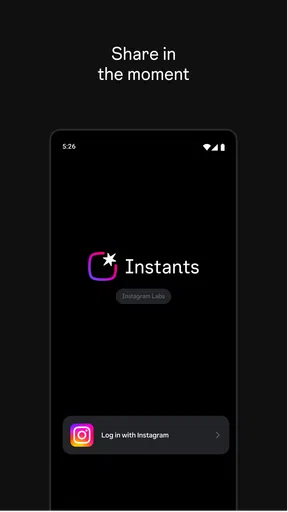
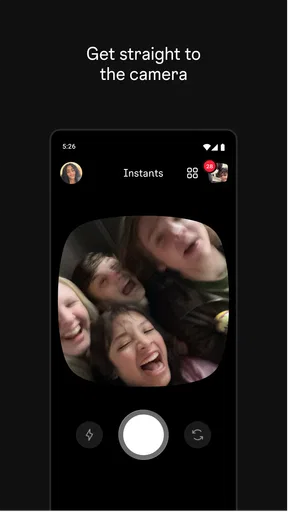
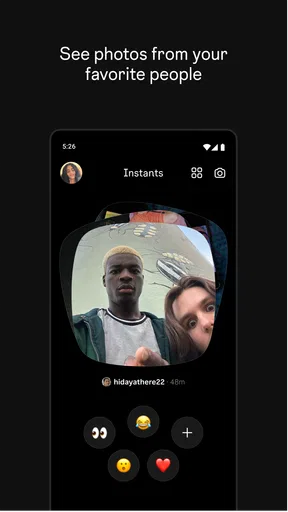
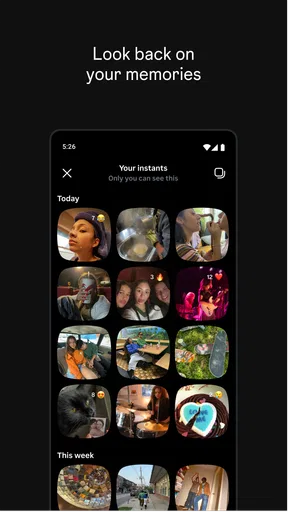
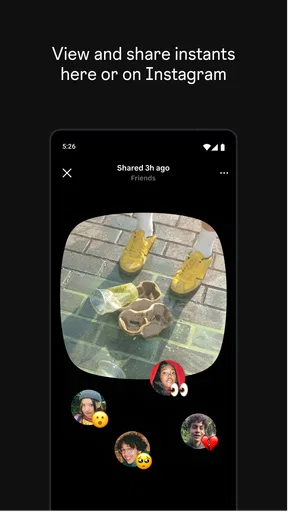
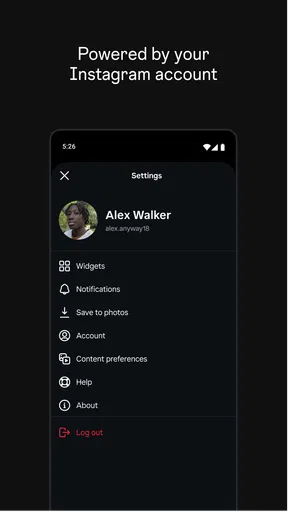
 Analysis by AppCompare
I approach Instants as a companion for moments when I want to share something quickly, not as a reason to spend longer polishing every post. It sits in the social-app space and comes from Instagram, so the natural question is whether it makes a familiar habit feel more useful or simply adds another step. My short answer is that it can suit people who enjoy sharing small, timely updates, provided they keep their expectations practical and check that the app behaves as they need on their device.
Where a quick share can get stuck
The idea behind an app for sharing in the moment sounds simple, but the small decisions around a post can still slow you down. I find it helps to decide what I want to share before opening the app: a quick snapshot, a passing detail, or something I want to keep for a more considered post later. That distinction matters because a lightweight, immediate update is not always the right format for a carefully edited image or a message meant for a specific audience.
When something does not work as expected, I would resist tapping through repeatedly or assuming the image has gone through. First check what the screen actually shows, then give the app a moment to respond. If the action still appears unfinished, returning to the previous screen cautiously is better than creating several near-identical attempts. That simple pause can prevent confusion about whether something was shared once or more than once.
Setup checks before relying on it
Instants is free, and its current version is 431.0.0.0.84, with a minimum operating-system requirement of 9. Before depending on it for an outing or a time-sensitive update, I would check that the device meets that requirement, install the current release available to me, and open the app once while I have a steady connection. These are ordinary checks, but doing them ahead of time is less frustrating than troubleshooting when I am already trying to share something quickly.
It is also sensible to confirm that I am using the Instagram app I intended to install and that I can access my account normally. I would avoid treating a successful download as proof that every part of a sharing workflow is ready. A quick, low-stakes test gives me a chance to notice sign-in prompts or confusing screens before I am relying on the app in a hurry. Because Instants is rated Teen, it is also worth considering whether its social setting and the way someone plans to use it fit the age and boundaries of the person using the device.
A calmer way to recover a workflow
If a share seems to stall, I would work from the simplest cause toward the more disruptive fixes. Check the connection, wait briefly, and see whether the screen changes before repeating the same action. If the app stops responding, closing and reopening it is a reasonable next step; if the problem persists, checking for an available update and restarting the device can help rule out a temporary device issue. I would not remove the app as my first move, especially if I have not checked whether I can sign back in afterward.
For a post that matters, I also keep a copy of the original photo or clip in the place I normally store it before starting. That is not a special Instants feature; it is a practical habit that leaves me with the original if a share needs to be retried or finished another way. It also makes it easier to choose a different Instagram workflow without having to recreate the moment.
Worth Reading Before You Choose

Baby Panda World Brings Quick Play to Modern Phones, but Its Game Library Feels Busy

ESPN’s Live Game View Makes Following Close Games Easier

QuizzLand Review: A Good Fit for Short Trivia Breaks, Not Every Player

Basketball Stars: Multiplayer Is Fast, but Can It Recover When Matches Go Wrong?

WEBTOON Turns Phone Updates Into a Better Reading Routine

Link to Windows Runs on Shared Habits, Not Social Feeds
When the app may not be the cause
A slow or incomplete share is not automatically an app fault. An unstable connection, a device that is short on free space, or a temporary problem elsewhere in the service can all interrupt an otherwise ordinary task. I would compare what happens on a reliable connection and, if appropriate, check whether Instagram itself is behaving normally before changing settings or repeatedly reinstalling anything.
There is a more basic question too: perhaps the intended audience or format is the issue. If I need careful control over presentation, a longer caption, or a deliberately curated post, I would choose the main Instagram workflow that gives me the right tools rather than force a quick-sharing app into that job. Instants makes the most sense when speed and immediacy are the point, not when I need every publishing choice to be available in one place.
First Impressions: A Fresh Take on Instagram
From the get-go, Instants caught my eye with its sleek design and intuitive interface. It's like Instagram decided to put on some fancy clothes and show up to a party. The download was quick, and setting it up was a breeze. I was curious to see if it could truly enhance my Instagram experience without feeling like just another filter app.
Features Galore: More Than Just Filters
What sets Instants apart is its range of features. Sure, it has filters, but they're not the usual suspects. We're talking unique, artistic filters that make your photos pop in ways you didn't think possible. The app also offers advanced editing tools, like precision cropping and color adjustments, that give you more control over your photos.
But the real magic happens with its collage maker and story templates. You can create stunning collages with ease, and the story templates are a game-changer. Whether you're into minimalistic designs or something more vibrant, there's something for everyone. Plus, the app's AI-driven suggestions help you get creative without breaking a sweat.
User Experience: Smooth Sailing or Rough Waters?
One of the things I always look for in an app is how user-friendly it is. Instants scores high here. Navigating through the features is straightforward, and everything is where you'd expect it to be. I never found myself hunting for options or getting lost in menus, which is a big plus in my book.
The app is also surprisingly light on resources. I was worried that all these features would slow down my phone or drain the battery, but that wasn't the case. It runs smoothly, without any noticeable lag, and my phone's battery life didn't take a hit.
Community and Connectivity: Engaging with Others
What really impressed me was how Instants integrates with the Instagram community. You can easily share your creations directly to Instagram without any hassle. The app also connects you with a community of creators where you can share tips, tricks, and even collaborate on projects. It's like having a mini Instagram community within the app itself.
Moreover, the app offers insights into your Instagram performance, helping you understand what works and what doesn't. It's a handy tool for anyone serious about their social media game.
Choosing it for the right kind of day
For me, the clearest use case is an ordinary day when I want to pass along a small moment without turning it into a production: a detail from a walk, a quick glimpse of a meal, or something amusing I noticed on the way home. In that situation, an app built around immediacy can feel more natural than opening a broader social feed and deciding among several publishing options. The value is not that every update becomes more polished; it is that sharing can stay spontaneous.
It is less compelling if I mainly use Instagram to plan a visual portfolio, prepare brand work, or make posts that need careful review before they go out. For those tasks, I prefer a workflow where I can pause, compare edits, refine the caption, and check the final presentation. Someone who rarely shares anything may also find that another app is unnecessary: a tool earns its place only if the quicker route is something they will actually use.
A practical rhythm for sharing
A useful habit is to separate capture from publishing. I can take the picture when the moment happens, then decide whether it belongs in an immediate share or a more deliberate Instagram post. That small pause is helpful when I am with friends or in a public place: it lets me check the framing and make sure I am comfortable sharing what is visible, rather than posting reflexively because the app makes the action feel quick.
Another trade-off is that convenience can encourage more frequent posting. I would set my own standard for what is worth sharing instead of treating every moment as content. That keeps a quick social tool from becoming an obligation and makes the updates I do send feel more intentional. If I am sharing something important, I would also make sure I have the right audience in mind before I commit to a post.
How it fits beside familiar alternatives
Compared with using Instagram’s main app for every task, a focused sharing route can feel less cluttered when all I want is a brief update. The main Instagram experience is the more sensible choice when I need its broader set of publishing and browsing options, or when I want to review a post in context before sharing. A phone’s ordinary camera is better for simply capturing a photo without making a social decision at the same time; I can keep the image and choose what to do with it later.
Dedicated photo-editing apps are a different kind of alternative. I would reach for one when I want detailed control over an image, while a quick social workflow is more appealing when speed matters more than fine adjustments. These approaches are not interchangeable: one prioritizes editing, another gives me the wider Instagram environment, and Instants is best considered for the moments when immediacy itself is useful.
What the audience figures tell me—and what they do not
Instants has an average rating of 4.7 from around 5,500 ratings, and it has passed one million installs. I take that as a sign that plenty of people have tried it and that the general response is positive, not as a guarantee that it will suit my habits or work perfectly on every device. Ratings can help me decide whether an app merits a closer look, but my own short test is more useful for judging whether its pace and purpose fit the way I use Instagram.
It has 81 written reviews, which is a smaller pool than the overall number of ratings. I would read user feedback as context rather than as a substitute for trying the app myself. The release date is May 7, 2026, and the version information can help me identify whether I am looking at the current app when checking an issue or comparing experiences. The key practical question remains simple: does it make the kind of sharing I do easier without adding friction elsewhere?
Who I would recommend it to
I would suggest giving Instants a try if you already enjoy posting brief, in-the-moment updates and want a more direct way to approach that habit. It is also worth considering for someone who likes experimenting with social content but does not want every share to become a carefully staged project. Since it is free, trying it is a low-commitment way to see whether its approach fits, though I would still keep the app only if it genuinely saves effort or makes sharing more enjoyable.
I would steer a privacy-conscious user, someone who prefers to keep social media activity minimal, or anyone who needs precise publishing controls toward a more deliberate approach. That is not a flaw in a quick-sharing concept; it is a mismatch of priorities. Before using any social app, I think about what I am comfortable sharing and whether the experience encourages habits I actually want. A convenient interface should support my choices, not make them for me.
Final Thoughts: Is Instants Worth Your Time?
After spending some quality time with Instants, I can say it's definitely worth checking out. Whether you're a casual user looking to spruce up your photos or a social media enthusiast wanting to engage more with your audience, this app has something for everyone.
Its combination of creativity, user-friendliness, and community engagement makes Instants a standout choice for Instagram users. Give it a try, and you might just find yourself spending even more time on Instagram—but in a good way!
Pros
- User-friendly interface with smooth navigation.
- Offers advanced photo editing tools.
- Easy integration with Instagram stories.
- Supports multiple account management.
- Fast and efficient photo uploads.
Cons
- Limited features in the free version.
- Occasional ads can be disruptive.
- Some features require a stable internet.
- High-quality uploads may be slower.
- Limited customization for notifications.
FAQs for Instants, an Instagram app
What features does Instants offer beyond the standard Instagram app?
Instants enhances the Instagram experience by offering advanced editing tools, scheduling posts for optimal times, and analytics to track engagement. Additionally, users can manage multiple accounts seamlessly and access a variety of filters and effects not found in the standard app. These features make content creation more efficient and effective.
Is Instants safe to use with my Instagram account?
Yes, Instants is designed with user security as a priority. It uses Instagram's official API to ensure that your login credentials and personal data remain protected. The app adheres to Instagram's guidelines, ensuring that your account's security and privacy are not compromised while using the enhanced features.
Does using Instants affect Instagram’s algorithm or engagement rates?
Instants itself does not directly affect Instagram's algorithm. However, by utilizing features like scheduled posts and advanced analytics, users can optimize their posting strategy to potentially increase engagement. Understanding when your audience is most active can lead to better interaction rates, thereby improving overall engagement.
Can I use Instants to manage multiple Instagram accounts?
Absolutely, Instants is designed for users who need to manage multiple Instagram accounts. It allows seamless switching between accounts without the hassle of logging out and back in. This feature is particularly beneficial for social media managers and users running multiple personal or business profiles.
Is Instants free, or does it require a subscription?
Instants offers a free version with basic features, but for access to its full suite of tools, a subscription is required. The premium version includes additional analytics, advanced editing tools, and the ability to schedule posts. Users can choose a monthly or yearly subscription plan based on their needs.


